Dim or turn off your Mac's front LED.

A free native menu-bar app for Mac mini and Mac Studio, with brightness control, schedules, presets and effects.

New here? See how LED control works on a Mac mini.

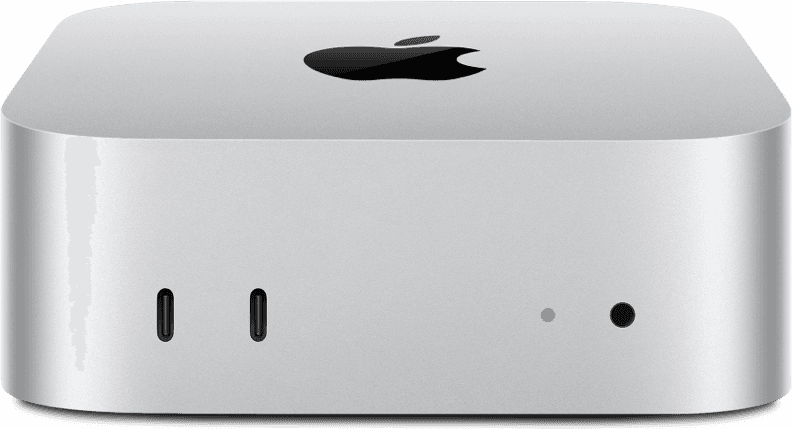
Mac mini with its front LED illuminated
POWER

LED

On

Brightness42%
AUTO-DIM

Evening dim · 20% after 21:00

Off at sunsetOff
Evening dim✓
Disable auto-dim
Fun stuff›
Presets›

Available today

More than an on/off switch.

Everything below ships in the free app today.

Auto-dim

Let the LED follow your evening.

Turn it off at sunset or lower it on your own schedule. Sleep, wake, daylight-saving changes and restarts are handled automatically.

LuxMini Settings

Auto-dim

Turn off at sunset
✓Dim in the evening21:00→20%

Location

Automatic📍 Detect

Empty = approximate from time zone.

Brightness

Every level, including zero.

Use the native slider for precise, immediate control.

68%

Presets

One click to your usual setup.

Preset 1Slot 1
Preset 2Slot 2
Preset 3Slot 3

Local control API

Connect your local tools.

Shortcuts, Home Assistant and scripts can control LuxMini through an optional localhost-only API.

curl -X POST localhost:4470/led \
  -d '{ "brightness": 32 }'

{ "on": true, "brightness": 32 }

Effects

Useful utility. Optional fun.

BlinkBlink fastPulseSOSStrobe

Native macOS app

Quiet when you do not need it.

  • Launch at login
  • Restore state after restart
  • French and English
  • Automatic app updates

Compatibility

Know before you install.

Established profiles are separated from brand-new hardware that still needs a visual confirmation.

Validated on physical hardware

Mac mini M4 / M4 Pro

Version 0.4.1 verifies the privileged helper and confirms LED access with a visible fade during first launch. The M4 profile was validated on a physical Mac mini M4.

Verified support
  • Mac mini Intel (2005–2018)
  • Mac mini M1 / M2 / M2 Pro
  • Mac mini M4 / M4 Pro
  • Mac Studio M1 / M2 / M3 / M4
First-launch confirmation
  • Mac mini M5 Pro / M6 (2026)
  • Mac Studio M5 Max / M5 Ultra (2026)

LuxMini performs a reversible LED fade test. The candidate profile is enabled only on the Mac that confirms the light behaved correctly.

Private by design

Your LED does not need an account.

Local first

LED control happens on your Mac. The optional control API listens on localhost and stays off by default.

One matching profile

LuxMini requests only the hardware profile for the Mac it is currently running on.

No sign-in

No LuxMini account, cloud dashboard or subscription is required for one Mac.

Auditable client

The client source can be inspected publicly, while hardware secrets remain outside the repository.

LuxMini Free

One Mac. Every core feature. Free.

No trial and no account. LuxMini Pro will add fleet control for homelabs and racks without removing the single-Mac features.

Download for macOS